Mining & ConstructionEquipment Management Software
Know where every machine is, how many hours it worked, how much diesel it used and what it earned. FleetSetu brings your equipment, sites, crew and accounts onto one screen, with Cat VisionLink and JCB LiveLink data synced in.



Machines on Five Sites, Numbers in Five Notebooks
Heavy equipment earns money by the hour, and loses it the same way. When machine hours, diesel, crew attendance and bills are kept in separate registers at separate sites, small gaps add up to real losses that nobody can point to.
Hours that nobody agrees on
The operator says 9 hours, the supervisor wrote 7, and the customer will only pay for 6. Every month ends in an argument over the hour meter.
Diesel that disappears
Fuel is issued from the bowser, jerry cans and the pump in town. Without a log per machine, you only notice the leak when the bill arrives.
Crew advances on loose paper
Operators, drivers and helpers take cash advances at different sites. At salary time, half the slips are missing and the other half are disputed.
Bills that go out late
Customer invoices wait for log sheets to come back from site. Hired machines and diesel vendors get paid without anyone checking their numbers.
FleetSetu fixes this by recording everything once, at the site, against the right machine and person. Billing, payroll and profit are then worked out from the same numbers.
Projects → Sites → Deployments
FleetSetu is organised the way mining and construction work actually runs. Everything you record, from an hour-meter reading to a cash advance, belongs to a site, and every site belongs to a project. That is what makes billing and profit add up without spreadsheets.
Project
e.g. “Highway Package 4” or “Limestone Lease – North Block”
The contract or job you are running for a customer. Billing terms, rates and the customer account live here.
Site
e.g. “Chainage 40–55 km”, “Pit 2” or “Crusher Yard”
The physical locations under a project. Each site has its own supervisor, diesel stock, expenses and attendance.
Deployment
e.g. “Excavator EX-07 at Pit 2 from 3 March, operator Ravi”
Which machine, vehicle and crew are working at which site, from which date. Move them between sites in a few taps.
Everything Your Sites Need, In One Platform
Twelve modules that cover the machines, the people and the money. Use all of them, or start with machine logs and add the rest as your team gets comfortable.
Equipment Monitoring
See every excavator, loader, dozer and dumper on one screen: engine hours, idle time, location and the alerts that need attention today.
EquipmentMachine Logs
Daily log sheets for every machine: start and close hour meter, working and idle hours, breakdowns, the work done and who operated it.
EquipmentVehicle Logs
Trips, loads, kilometres and diesel for every dumper, tipper and transit mixer, with the driver and site recorded against each trip.
EquipmentProjects, Sites & Deployments
Organise work the way it actually runs. Know which machine and which crew are at which site, and since when, without calling anyone.
OperationsDiesel & Fuel Control
Record every fuel issue by machine and site. Compare litres per hour or per trip, and spot the machine that suddenly needs more than it should.
OperationsMaintenance & Documents
Service schedules by hour meter, breakdown history, spares used, and reminders for insurance, fitness and permits before they expire.
OperationsOperators, Drivers & Helpers
One record for every person on your sites, with their role, rate, current deployment, documents and full work history.
CrewAttendance
Site-wise daily attendance marked by supervisors on their phones. Days, half days and overtime flow straight into payroll.
CrewSalary & Advances
Monthly, daily or per-hour wages, with every cash advance recorded where it was given and recovered automatically at salary time.
CrewCustomer Billing & Invoicing
Raise invoices from approved logs: per hour, per trip, per day or a monthly rate. Minimum guarantees and idle charges included.
AccountsVendor Accounting
Track what you owe for hired machines, diesel, spares and repairs. Check vendor bills against your own logs before you pay.
AccountsReports & Profit / Loss
Profit and loss by machine, site and project, plus utilisation, fuel, payroll and outstanding reports you can share or download.
AccountsCat VisionLink & JCB LiveLink, Synced Into One Dashboard
Most fleets are a mix of brands, and every brand has its own portal. FleetSetu pulls the telematics data you already pay for into the same place as your logs, diesel and billing, so nobody has to log in to three websites to answer one question.
Cat VisionLink
Connect your Cat VisionLink account and engine hours, fuel used, location and fault alerts for your Cat machines flow into FleetSetu automatically.
JCB LiveLink
Link JCB LiveLink and your backhoe loaders and excavators report hours, location and service alerts into the same dashboard as the rest of your fleet.
Hitachi excavators & dumpers
Hitachi machines are tracked through daily machine logs and GPS, with hour-meter based service schedules and full maintenance history.
Running Komatsu, Volvo, Sany, Tata Hitachi or older machines without telematics? Track them with daily machine logs and GPS devices, side by side with your Cat and JCB fleet.
From Site Log to Profit Report
Six steps, and most of them happen on a supervisor’s phone in a few minutes a day.
- 1
Set up projects and sites
Add your customers, projects and sites, with rates and billing terms for each.
- 2
Add machines, vehicles and crew
Import your equipment list and people once. Connect Cat VisionLink and JCB LiveLink.
- 3
Deploy to sites
Assign machines and crew to sites. Move them whenever the work moves.
- 4
Log the day’s work
Supervisors and operators record hours, trips, diesel and attendance from their phones.
- 5
Bill, pay and settle
Invoices, vendor payables and salaries are worked out from the same approved logs.
- 6
See what you earned
Profit and loss by machine, site and project, ready before the month closes.
Operators, Drivers & Helpers: Attendance, Salary and Advances
Your crew is spread across sites, paid in different ways, and often takes cash in between. FleetSetu keeps one clear account for every person, so salary day stops being a negotiation.
- Separate rates for operators, drivers and helpers: monthly, daily or per hour
- Attendance marked site by site, including half days and overtime
- Cash advances recorded at the site where they were given, by whoever gave them
- Advances recovered automatically from the next salary, with a clear statement for each person
- Operator assigned to every machine log, so output and pay match up
Sample statement
Excavator operator · Pit 2
- Days present
- 26 of 30
- Overtime hours
- 18
- Gross salary
- Monthly rate + overtime
- Advances taken at site
- 3 entries
- Advances recovered
- All 3, this month
Illustration of the statement each person gets; your rates and figures come from your own records.
Customer invoices
From approved logs
Vendor payables
Hired machines, diesel, spares
Project ledgers
Receipts and outstanding
Checked bills
Vendor vs your logs
Customer & Vendor Accounting, Billing and Invoicing
The log your supervisor approves today becomes the invoice your customer receives at month end. No retyping, no missing hours, and a log sheet to back up every line if the customer asks.
- Customer invoices per hour, per trip, per day or monthly, with minimum billing hours
- Idle and standby charges, mobilisation and demobilisation billed as separate lines
- Customer ledgers, receipts and outstanding balances by project
- Vendor payables for hired machines, diesel, spares and repairs
- Vendor bills checked against your own machine and vehicle logs
- Site expenses recorded against the right project, not a general ledger
Profit and Loss by Machine, Site and Project
Which excavator paid for itself this month? Which site is eating diesel? Which customer is 60 days overdue? FleetSetu answers these from the data your team already records, without waiting for the books to close.
Start with one site and a few machines
Our team sets up your projects, sites and crew, and connects your Cat and JCB accounts.
Built for Teams That Move Earth
Whether you own the machines, hire them out or run the project, the same platform fits how you work.
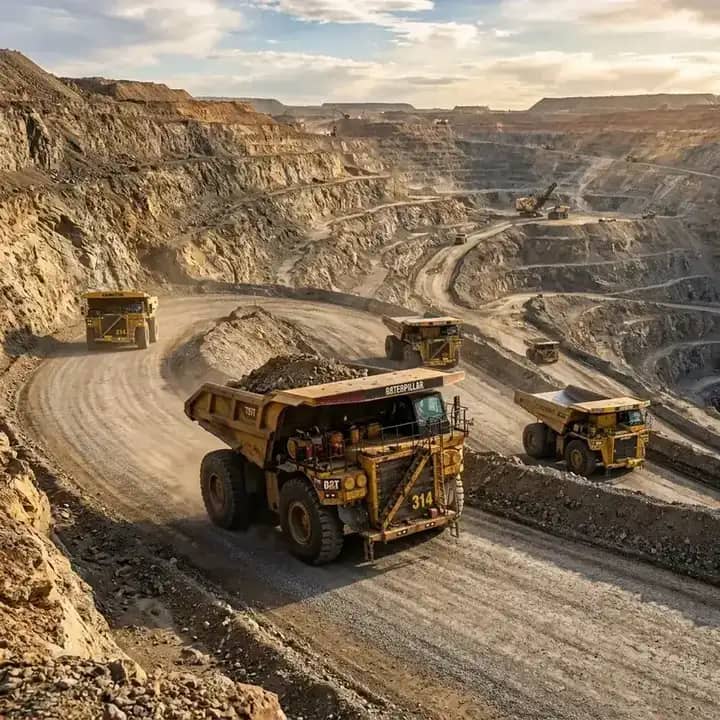
Mining Contractors & Leaseholders
Excavators, loaders and dumpers working in pits, with diesel and hour tracking that holds up in an audit.
Mining solution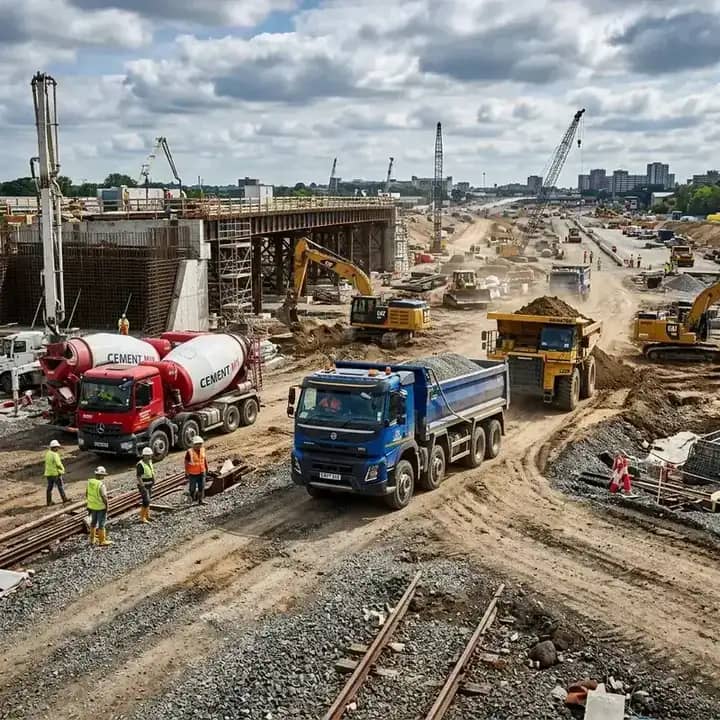
Construction & Infrastructure Companies
Road, rail, building and irrigation projects with machines and crew spread over many sites.
Construction solution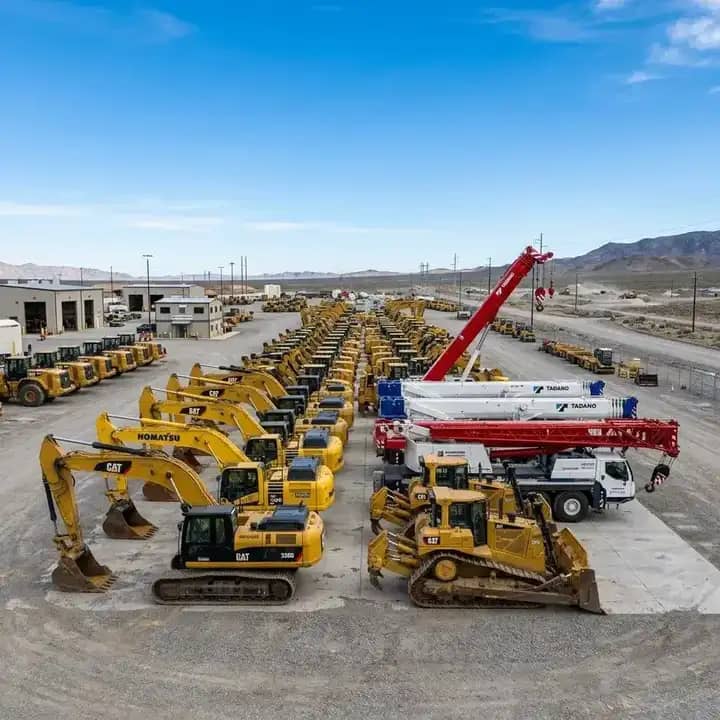
Equipment Rental & Hire Businesses
Machines rented out by the hour or month, billed accurately from logs the customer can verify.
Heavy equipment solutionFrom Jabalpur to Lagos, Wherever Your Sites Are
FleetSetu runs in the cloud, in a web browser and on mobile phones, so a mining or construction company in any country can use it. Supervisors log work from site, and owners see the full picture from anywhere.
Our customers include mining and construction teams in Jabalpur and across Madhya Pradesh in India, and in Victoria Island, Lagos, Nigeria.
Use it in any country
Mobile app for site teams
Secure cloud with backups
Setup help from our team
Registers & Excel vs FleetSetu
| Area | Registers & Excel | FleetSetu |
|---|---|---|
| Machine hours | Handwritten log sheets, collected days later | Logged daily from site, synced from Cat VisionLink and JCB LiveLink |
| Where machines are | Phone calls to supervisors | Live deployments by project and site |
| Diesel | Bowser register and receipts in a drawer | Every issue recorded against a machine and site |
| Crew advances | Loose slips, often lost before salary day | Recorded at site and recovered from salary automatically |
| Customer bills | Typed from log sheets at month end | Generated from approved logs in a few clicks |
| Vendor payments | Paid on the vendor’s numbers | Checked against your own logs first |
| Profit | Known only after the accountant closes the books | Visible by machine, site and project, any day |
Frequently Asked Questions
What is mining and construction equipment management software?
↓
It is software that keeps track of your excavators, loaders, dumpers, tippers and other machines across projects and sites. FleetSetu records machine and vehicle logs, diesel, maintenance, crew attendance and pay, customer billing and vendor accounts, and shows profit and loss by machine, site and project.
Does FleetSetu work with Cat VisionLink and JCB LiveLink?
↓
Yes. You can connect your Cat VisionLink and JCB LiveLink accounts, and data such as engine hours, location and alerts syncs into the FleetSetu dashboard alongside the logs for the rest of your fleet.
Can I manage machines from different brands in one place?
↓
Yes. Cat and JCB machines can sync telematics data, and every other machine, including Hitachi, Komatsu, Tata Hitachi, Volvo, Sany or older equipment without telematics, is tracked through daily machine logs and GPS. They all appear in the same dashboard and reports.
How do Projects, Sites and Deployments work?
↓
A project is the job you run for a customer. Each project has one or more sites. A deployment records which machine, vehicle and crew are working at which site from which date. Logs, diesel, expenses and attendance are recorded against the site, so billing and profit roll up correctly.
Can FleetSetu handle salary and advances for operators, drivers and helpers?
↓
Yes. You can set monthly, daily or hourly rates, record site-wise attendance, and log cash advances where they are given. At salary time, FleetSetu works out each person’s pay and recovers the advances automatically.
Can I bill customers per hour or per trip?
↓
Yes. Invoices can be raised per hour, per trip, per day or on a monthly rate, with minimum billing hours, idle charges and mobilisation added as separate lines. Bills are generated from approved machine and vehicle logs.
Can companies outside India use FleetSetu?
↓
Yes. FleetSetu is cloud software that runs in a web browser and on mobile phones, so mining and construction teams anywhere in the world can use it. We already work with customers in India, including Jabalpur and across Madhya Pradesh, and in Victoria Island, Lagos, Nigeria.
How do I get started?
↓
Register on the FleetSetu website and choose Mining & Construction as your business type. Our team will help you set up your projects, sites, machines and crew, and connect your Cat VisionLink and JCB LiveLink accounts. You can also book a demo first.
Put Every Machine, Site and Crew on One Screen
Register for FleetSetu Mining & Construction and our team will help you set it up with your own machines, sites and crew. Monthly and annual plans are available.
Prefer to talk? Call +919220901110